

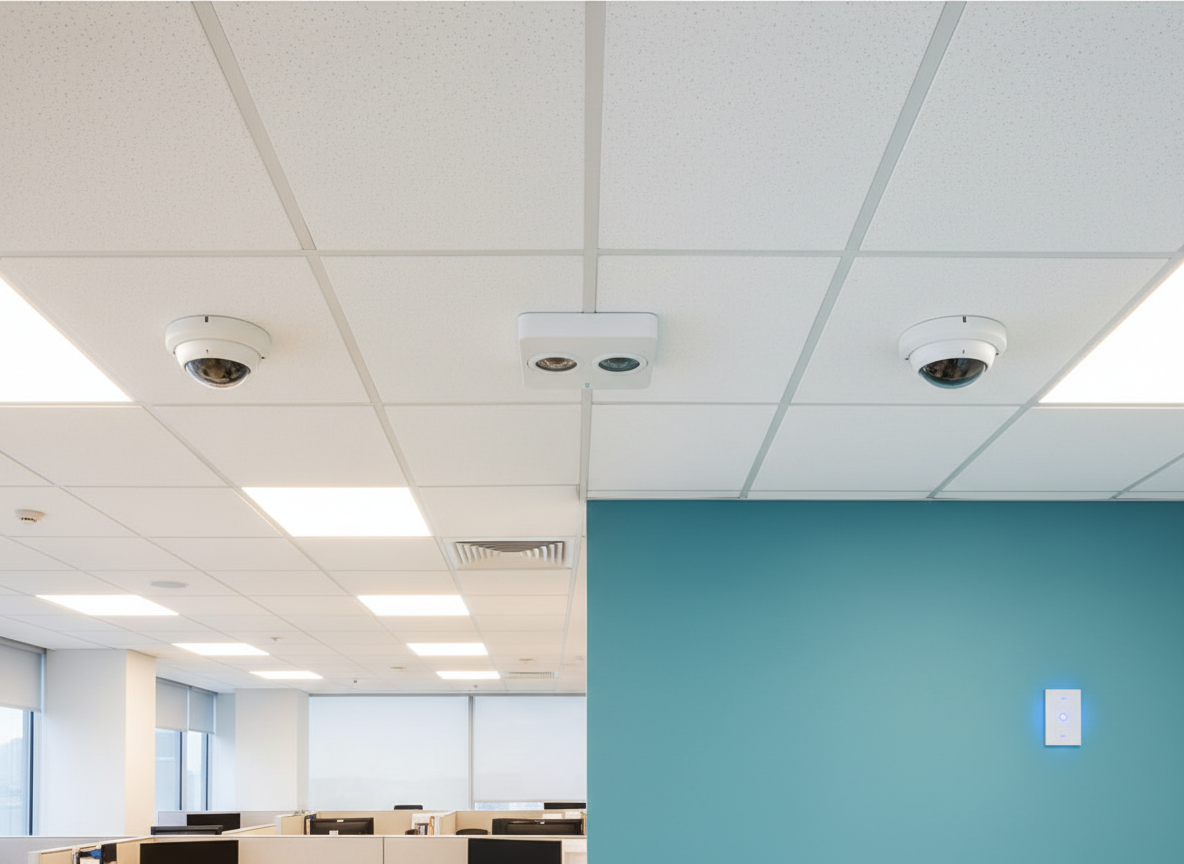

Walk into most commercial buildings today and you'll find occupancy sensors installed in at least some rooms. The idea is simple: lights come on when someone enters and turn off when the room empties. Clean, automatic, effortless.
But “occupancy sensor” is actually an umbrella term that covers two very different operating modes — and choosing the wrong one for a given space is one of the most common lighting controls mistakes we see in the field. It affects energy savings, user experience, and in some cases, code compliance.
Occupancy Mode: Auto-On, Auto-Off
In occupancy mode, the sensor controls the full lighting cycle automatically. When motion is detected, the lights switch on — no wall switch required. When the sensor stops detecting motion for a set period (the “time delay”), the lights turn off on their own.
This is the mode most people picture when they think of an occupancy sensor. It's fully hands-free, which makes it popular in high-traffic areas where flipping a switch would feel awkward or where occupants frequently have their hands full — restrooms, stairwells, storage rooms, and corridors.
The tradeoff is that the lights are always on whenever motion is present, regardless of whether natural light is adequate. Pair occupancy mode with a photosensor or a daylight harvesting strategy to avoid wasting energy in daylit spaces.
Vacancy Mode: Manual-On, Auto-Off
Vacancy mode flips the auto-on behavior: the occupant must manually turn the lights on when they enter. From there, the sensor takes over — it watches for motion and automatically turns the lights off after the time delay expires with no activity detected.
At first glance this seems less convenient. Why would you want to require a manual step? The answer lies in human behavior.
People rarely forget to turn lights on. If you walk into a dark office, you switch the light on. It's automatic. But people forget to turn lights off all the time — they step out for a quick meeting that runs long, or they leave for the day with lights still burning. Vacancy mode solves exactly that problem: the occupant handles the “on” decision, and the sensor handles the “off.”
The result is measurably better energy performance. Studies consistently show vacancy mode saves more energy than occupancy mode in spaces where people have deliberate, task-focused use patterns — private offices being the clearest example.
What ASHRAE 90.1 Requires
ASHRAE 90.1, the primary commercial energy code standard referenced across most U.S. jurisdictions, mandates vacancy mode (manual-on) in specific space types. The reasoning is the same as above: these are spaces where occupants are present for extended, intentional work sessions. They will turn the light on themselves. The sensor's job is to make sure they don't leave it on behind them.
Single-occupant restrooms are often specified as manual-on for the same reason — the person entering can turn the lights on deliberately and the sensor takes care of shutoff. Multi-occupant public restrooms, by contrast, usually call for occupancy mode so the lights come on automatically when someone enters.
| Space Type | Required Mode | ASHRAE 90.1 Reference |
|---|---|---|
| Private offices | Vacancy (manual-on) | Section 9.4.1.1(g) |
| Classrooms (general) | Vacancy (manual-on) | Section 9.4.1.1(g) |
| Conference / meeting rooms | Vacancy (manual-on) | Section 9.4.1.1(g) |
| Employee break rooms | Vacancy (manual-on) | Section 9.4.1.1(g) |
| Restrooms / locker rooms | Occupancy (auto-on) | Section 9.4.1.1(h) |
| Corridors / stairwells | Occupancy (auto-on) | Section 9.4.1.1(h) |
| Open office areas | Occupancy (auto-on) | Section 9.4.1.1(h) |
| Storage / utility rooms | Occupancy (auto-on) | Section 9.4.1.1(h) |
Sensor Technologies: PIR, Ultrasonic, and Dual-Tech
Passive Infrared (PIR)
PIR sensors detect changes in infrared heat signatures as an occupant moves through the detection field. They are line-of-sight devices — they require movement across their field of view and do not detect through walls, partitions, or furniture. PIR sensors are highly reliable for gross motion (walking, standing up) and excel in open, unobstructed spaces.
Their weakness is minor motion. Someone sitting at a desk and barely moving — reading, focused on a screen — can “disappear” to a PIR sensor. This is the primary cause of the “lights keep turning off on me” complaint discussed below.
Ultrasonic
Ultrasonic sensors emit high-frequency sound waves and detect motion through Doppler shift in the reflected signal. They can detect minor motion — breathing, small hand movements — and wrap around obstructions. They are well suited to spaces with cubicles, shelving, or high-density furniture where PIR dead zones are a concern.
Their sensitivity is a double-edged sword: they can false-trigger on HVAC airflow, loose paper rustling, or mechanical vibration. Mounting location matters a great deal with ultrasonic sensors, and they should never be installed within six feet of an HVAC supply or return diffuser.
Related motion-detection technologies include High Frequency Doppler, Microphonic, and Audiophonic sensors. In practice, these terms show up more often in spec sheets and older product families than in everyday conversation, but they all sit in the same broad family of sound- or vibration-based occupancy detection.
Dual-Technology (Dual-Tech)
Dual-tech sensors combine PIR and ultrasonic in a single device, typically requiring both technologies to agree before switching off (but only one to trigger an on event). This dramatically reduces false-off events. Dual-tech sensors are the premium choice for private offices and conference rooms where false-offs are unacceptable.
Dead Zones, Coverage Angles, and Mounting Height
Dead zones are areas within the sensor's nominal coverage where motion simply goes undetected. For PIR sensors, any fixed obstruction between the sensor and the occupant creates a dead zone.
Mounting height directly affects coverage radius. A sensor mounted at 9 feet will cover a different area than the same sensor at 12 feet — and spec sheets are typically calibrated to a specific standard height. Always consult the sensor's mounting height correction chart when the installation height deviates from the rated specification.
Time Delay Settings
The time delay — the hold time after the last detected motion before lights turn off — is one of the most impactful programming parameters and one of the most commonly misconfigured. In current code cycles, 20 minutes is generally the practical upper limit for many occupancy and vacancy-controlled spaces, so programming beyond that usually is not the right answer anyway.
- Private offices: 15–20 minutes. Occupants may sit quietly for extended periods, but current code cycles generally cap the delay at 20 minutes.
- Conference rooms: 15–20 minutes. Allow buffer for pauses in meetings without exceeding the code limit.
- Restrooms: 5–15 minutes. High turnover; shorter delays are appropriate.
- Corridors / stairwells: 5–10 minutes. Transient occupancy; short delays maximize savings.
- Storage / utility rooms: 5–10 minutes. Typically brief occupancy.
“The Lights Keep Turning Off on Me”
This is the most common complaint we hear after a sensor installation, and it almost always has a clear technical cause. The root issue is usually one of three things: the time delay is set too short, the sensor has a dead zone at the occupant's typical position, or a PIR-only sensor is losing track of a seated, minimally-moving occupant.
Before adjusting time delays as a first response, verify sensor coverage first. Have someone sit at the affected workstation in their normal working posture and watch the sensor's indicator LED. If the LED shows loss of detection within a minute or two of stillness, the coverage is the problem — not the delay.
Frequently Asked Questions
Can I switch a sensor between occupancy and vacancy mode after installation?
In most cases, yes. Modern sensors — and virtually all networked lighting control systems — allow mode changes through software or a DIP switch setting without replacing hardware. If you're commissioning a space and discover the wrong mode was specified, it's typically a programming fix, not a hardware change.
Is vacancy mode always the better choice for energy savings?
Not always. In spaces with highly variable or unpredictable occupancy — restrooms, break rooms with multiple users, corridors — the auto-on behavior of occupancy mode provides safety and accessibility benefits that outweigh the marginal energy difference. Vacancy mode shines in individual, task-focused spaces where the same person controls the room for an extended period.
Do occupancy sensors need to be a specific distance from HVAC diffusers?
Yes — ultrasonic and dual-tech sensors should not be installed within six feet of HVAC supply or return diffusers. Airflow creates false motion signals in ultrasonic sensors, which can cause erratic behavior. PIR sensors are less affected by airflow but are sensitive to thermal drafts that change the background infrared signature.
What's the difference between a standalone sensor and a networked sensor?
Standalone sensors switch a relay directly — they're simple, inexpensive, and self-contained. Networked sensors are part of a broader lighting controls ecosystem and communicate occupancy data to a controller that coordinates the full zone response, including dimming, scene recalls, and integration with other building systems. Networked sensors offer far more flexibility in programming, reporting, and energy management — but they require proper system design and commissioning to realize that potential.
Getting Sensor Placement and Programming Right
Sensor mode, coverage, time delay, and zone design all affect whether your sensors actually save energy or just annoy occupants. Wilco Services gets this right from the start.
Contact Wilco Services